Notifications
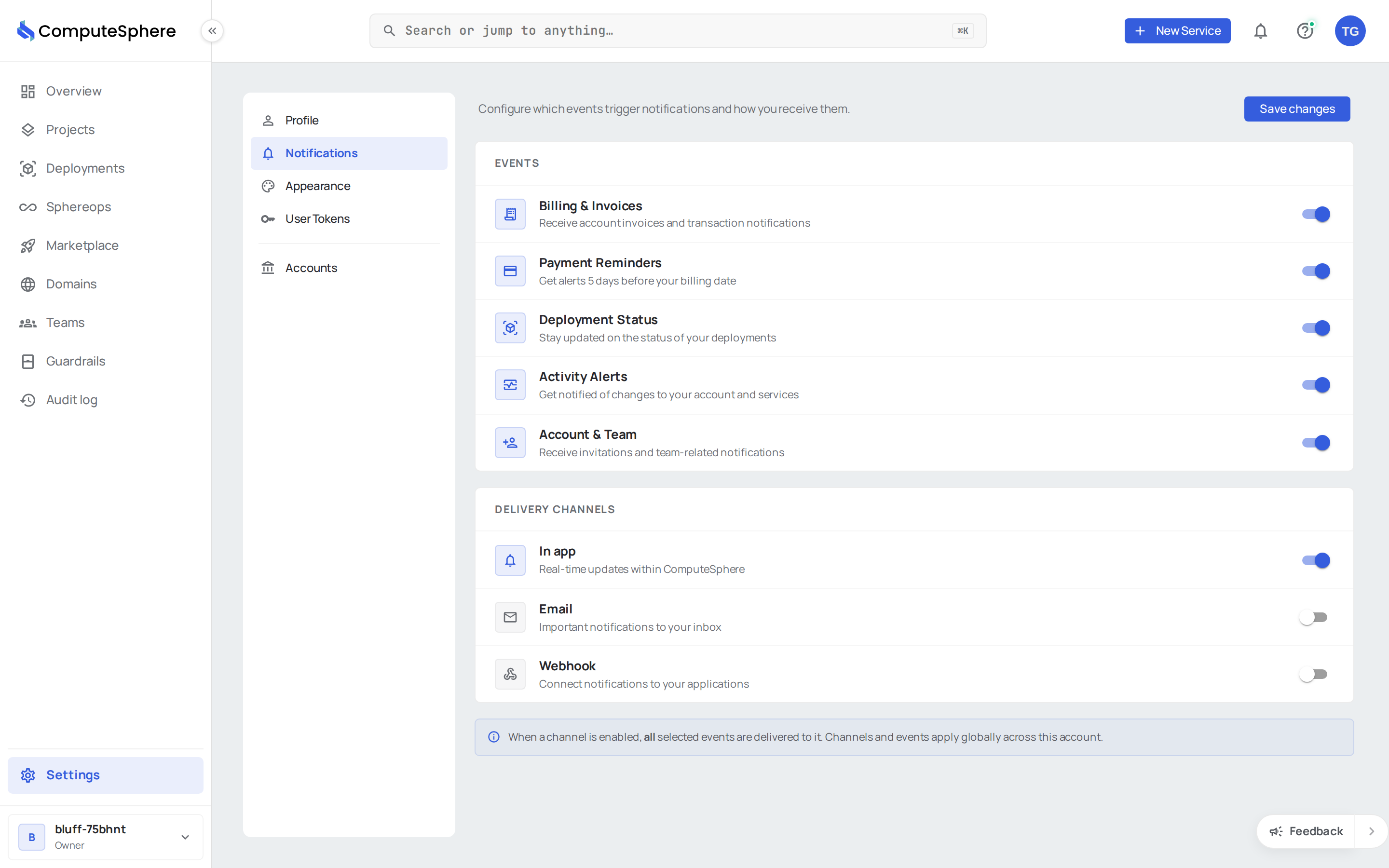
Notification settings decide which events trigger an alert for you and which channels carry them. Topic toggles say what you care about; channel toggles say where it lands.
Topics
Each topic is an independent on/off switch. A topic stays silent on every channel when its toggle is off.
| Topic | What it covers |
|---|---|
| Billing & invoices | New invoice issued, invoice paid, plan changed |
| Payment reminders | Card-expiring warnings, failed-charge retries, balance due |
| Deployment status | Build started, deploy succeeded, deploy failed, autoscaling actions |
| Activity alerts | Sensitive account activity — sign-in attempts, configuration changes |
| Account & team | Account invitations, role changes, team membership updates |
Operational alerts you author yourself (custom alert rules on metrics or log conditions) route through alerts and have their own channel selection.
Channels
Channels are also independent toggles. A topic fires on every channel that's enabled, and only on those.
| Channel | Delivery |
|---|---|
| In-app | The bell icon in the console header. Always real-time. |
| A list of email addresses you control. Subject + body summary; deep link back to the console. | |
| Webhook | One or more HTTPS endpoints. JSON or text payload. Optional shared secret. |
Configure in the console
Open Settings → Notifications.
- Toggle the topics you want to hear about.
- For each channel you want enabled, flip the channel switch.
- For email: add the addresses; multiple are allowed.
- For webhooks: click +, paste the URL, choose
jsonortext, optionally set a token, and Update.




Configure via the API
Read current settings:
curl https://api.computesphere.com/v2/notifications/settings \
  -H "Authorization: Bearer YOUR_API_TOKEN" \
  -H "x-account-id: YOUR_ACCOUNT_ID"
Update — full body replaces previous state:
curl -X PUT https://api.computesphere.com/v2/notifications/settings \
  -H "Authorization: Bearer YOUR_API_TOKEN" \
  -H "x-account-id: YOUR_ACCOUNT_ID" \
  -H "Content-Type: application/json" \
  -d '{
    "billing": true,
    "payment": true,
    "deployment": true,
    "activity": true,
    "invites": true,
    "inapp_enabled": true,
    "email_enabled": true,
    "emails": ["ops@example.com"],
    "webhook_enabled": true,
    "webhooks": [
      {
        "url": "https://example.com/hooks/computesphere",
        "content_type": "json",
        "token": "shared-secret"
      }
    ]
  }'
The full wire shape is in the API reference.
Verifying webhook deliveries
When token is set, the receiver gets it in the request body so it can verify the request came from ComputeSphere. Reject any payload where the token doesn't match.
Honest limits
- Channel selection is global per user, not per topic. Email or webhook is either on for every enabled topic or off for all of them. Per-topic channel routing is on the roadmap.
- No granular event filtering. You can mute a whole topic, but not "deployment failed" while keeping "deployment succeeded". Filter on the receiving side for now.
- Webhook delivery is best-effort. Retries are limited and bounded — design your endpoint to be idempotent and use the in-app bell as the source of truth for critical events.
- Email is informational. Don't build alerting pipelines off inbound email; use webhooks (or, for metric-driven pages, alerts).
- Settings are per user. Each account member configures their own routing. There's no team-level inbox today.
- In-app notifications retain for 90 days. Older entries are pruned. Mirror to your own store if you need a permanent record.
What's next
- Notifications overview — cross-channel model and event taxonomy
- Alerts — metric- and log-driven alert rules
- API tokens — secure the token used to update settings via the API